Booking software should fit the work happening that day.
Service businesses still take phone calls, review unusual requests, manage staff availability, and keep clients informed. Schedl puts those tasks around one appointment calendar.
See the workflow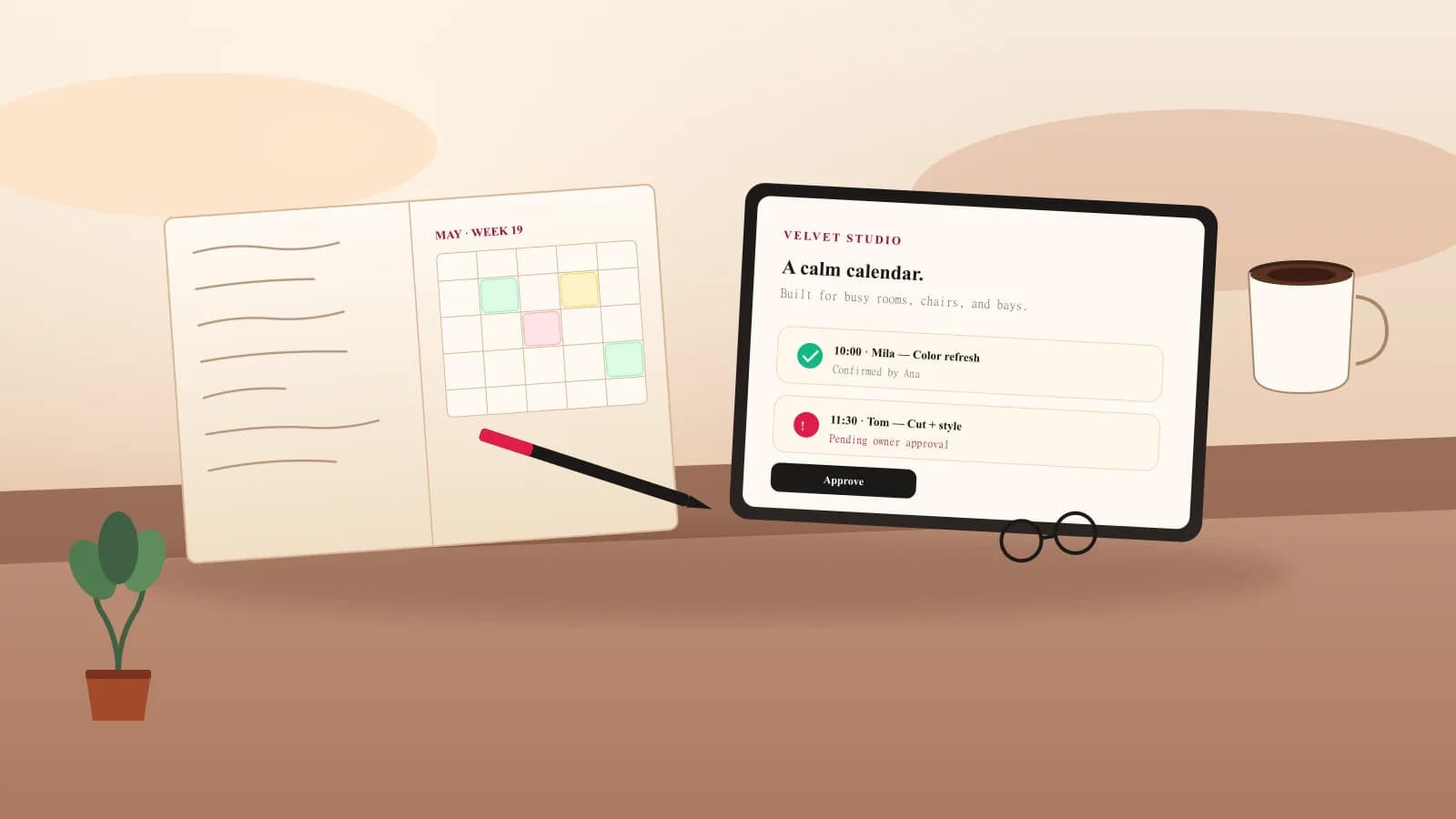
Built for operators
A shared calendar for the people delivering the service.
Our point of view
A public form is only the first step. The booking still has to fit a professional's hours, leave enough time for the service, reach the right calendar, and tell the client whether the request is pending or confirmed.
Schedl is designed around that handoff. The owner makes or approves the appointment. The client receives a confirmation and a secure link to verify access, cancel an eligible visit, or request a new time.
The aim is to reduce the repair work around a booking: fewer calls to confirm details, fewer messages asking for the time, and one place to see what still needs attention.
Every appointment should have a clear next step.
Owner opens a real slot
Tap the calendar, choose the service, enter the client, and pick reminder channels.
Client requests a time
They choose service, professional, and time from a branded portal that feels like the business.
Owner approves
Pending requests stay visible until the owner confirms or declines them.
Confirmation + portal link
Client receives a friendly message with a secure manage link for rescheduling, canceling, or staying in touch.
A booking tool should respect both sides.
Who Schedl is for
Schedl is appointment scheduling software for independent professionals and service teams. A salon can publish its services and stylist availability; a barber can combine online and phone bookings; a studio can review a request before confirming the visit. The common unit is an appointment with a professional, with enough time reserved for the service.
Your public booking page introduces your business. The owner calendar helps the team manage the day, and verified client access keeps changes and conversations connected to the right appointment. You bring your own client relationships; Schedl does not operate a customer marketplace.
Booking and client management are the focus. Service payments stay with your existing provider, and a calendar subscription is a read-only view of Schedl appointments. Review the feature guide and plan comparison for the capabilities available today.
There is also written guidance for the trades Schedl is set up for today, using the vocabulary of each one.
The operator and how to contact us
Schedl is operated by I. MARIN, obrt za usluge, vl. Ines Marin, Kijevska 5, 21000 Split, Croatia, EU (OIB 91775270726). For general questions, email info@slotturn.com. For help with your account, email support@slotturn.com. To ask about a demo or moving from another booking app, send us a message on the contact page.
The privacy policy explains how information is handled, and the terms of service describe the service relationship. The public preview uses sample details so you can try a booking before creating a workspace or sharing a live page with clients.
What Schedl handles, and what stays with you.
Schedl is scheduling software for one business at a time, so it is worth being precise about where the product stops.
- A hosted booking page with your services, team, prices, logo, cover image, and colors.
- One calendar for online requests and the appointments your team adds by phone or at the desk.
- Automatic confirmation or manual approval, chosen per business.
- Working hours, time off, service durations, buffers, and the notice required before a client can book.
- Client records with appointment history, and a CSV import you review before saving.
- Email reminders on every plan, plus SMS or WhatsApp on Starter and Pro once a channel is enabled and the client agrees.
- A verified client portal for cancellations, reschedule requests, and messages kept with the appointment.
- Reports, CSV exports, read-only calendar subscriptions, recurring appointment series, and waitlist offers on the plans that include them.
- Your client relationships. Schedl is not a marketplace, so it does not list your business for consumer discovery and takes no commission on bookings.
- Service payments and deposits. Keep collecting them through your existing provider; the Schedl subscription covers the scheduling software.
- Your own domain. The booking page is hosted on Schedl, and connecting a custom domain is not part of the current offering.
- Room, chair, equipment, and service-bay capacity. Schedl schedules people, not spaces.
- Your accounting. Appointment reports show appointment values by currency, not money collected.
- Your external calendar. A subscription is a read-only view of Schedl appointments; edits and busy times do not flow back.
- Retail, payroll, and campaigns. Point of sale, inventory, and marketing tools stay in the systems you already use.
From a sample booking to your own page.
You can see the client experience before you create anything, and setup asks only for the details a booking needs.
- 1
Try the sample booking
The public preview uses sample business details, so you can follow a booking from service selection to confirmation without entering anything real.
- 2
Create your workspace
The free plan covers one bookable professional and up to 100 bookings each month, and it does not ask for a card.
- 3
Set up, then publish
Choose your business type so labels and defaults fit, add your services, team, and working hours, then publish the page and share its link or booking QR code.
Common questions about Schedl.
Short answers about who runs Schedl, who it is for, and what the product does not do.
Who operates Schedl?+
Schedl is operated by I. MARIN, obrt za usluge, vl. Ines Marin, Kijevska 5, 21000 Split, Croatia, EU (OIB 91775270726). General questions go to info@slotturn.com; help with your account goes to support@slotturn.com. The privacy policy explains what information the service processes and which providers help deliver it.
What kind of business is Schedl built for?+
Service businesses where a client books time with a professional: salons, barbershops, massage and spa, tattoo studios, auto repair, and similar trades. It works best when the appointment is a service with a duration, a price, and a person who delivers it. A business that treats rooms or equipment as separate bookable resources needs a different tool.
Does Schedl bring me new clients?+
No. Schedl is subscription software rather than a marketplace, so it does not list your business for consumer discovery or charge a commission on appointments. You keep your client relationships and share your booking link wherever you already reach people.
Do clients need an account or an app?+
No. Clients book through your page with their name and contact details, without a password or an app. To cancel an eligible appointment, request another time, or send your team a message, they verify access to that appointment first. Clients with an email address can also use an email code to see their visits with your business.
Can I keep my own website and payment provider?+
Yes. Your Schedl booking page is hosted on Schedl and can be linked from your existing site, social profile, or printed material. Service payments and deposits stay with your current provider, and connecting a custom domain to the hosted booking page is not part of the current offering.
What is not available today?+
Multi-location support, advanced analytics, and API access are planned rather than included, and appointment deposits and service-payment checkout are unavailable. Schedl is also not a full salon-management suite: point of sale, inventory, payroll, and marketing campaigns stay in the tools you already use.
How is booking information handled?+
A workspace business controls its client and appointment records, and Schedl shares information only with the providers needed to run the service, such as hosting, billing, email, SMS, and WhatsApp delivery. Transactional messaging consent is not treated as consent for marketing messages. The privacy policy lists the full categories.
Ready when you are
See whether the Schedl workflow matches your day.
Review the portal, owner calendar, approval step, reminders, and client actions before creating a workspace.